
# 课程简介
# Module模块系统
# 学什么
初识Module
Module的导入和导出
Module的注意事项和应用
# 初识Module
Module是什么
Module的基本用法
# Module的导入和导出
export default和对应的import
export和对应的import
# Module的注意事项和应用
Module的注意事项
Module的应用
# 1.初识Module
# Module是什么
- 什么是模块
- 什么是模块系统
# 1.什么是模块
模块:一个一个的局部作用域的代码块
<script src="./base.js">
    (function () {
        // 默认参数
        const DEFAULTS = {
            // 初始索引
            initialIndex: 0,
            // 切换时是否有动画
            animation: true,
            // 切换速度,单位 ms
            speed: 300
        };
        // base
        const ELEMENT_NODE = 1;
        const SLIDER_ANIMATION_CLASSNAME = 'slider-animation';

        // 父类
        class BaseSlider {
            constructor(el, options) {
                if (el.nodeType !== ELEMENT_NODE)
                    throw new Error('实例化的时候,请传入 DOM 元素!');

                // 实际参数
                this.options = {
                    ...DEFAULTS,
                    ...options
                };

                const slider = el;
                const sliderContent = slider.querySelector('.slider-content');
                const sliderItems = sliderContent.querySelectorAll('.slider-item');

                // 添加到 this 上,为了在方法中使用
                this.slider = slider;
                this.sliderContent = sliderContent;
                this.sliderItems = sliderItems;

                this.minIndex = 0;
                this.maxIndex = sliderItems.length - 1;
                this.currIndex = this.getCorrectedIndex(this.options.initialIndex);

                // 每个 slider-item 的宽度(每次移动的距离)
                this.itemWidth = sliderItems[0].offsetWidth;

                this.init();
            }

            // 获取修正后的索引值
            // 随心所欲,不逾矩
            getCorrectedIndex(index) {
                if (index < this.minIndex) return this.maxIndex;
                if (index > this.maxIndex) return this.minIndex;
                return index;
            }

            // 初始化
            init() {
                // 为每个 slider-item 设置宽度
                this.setItemsWidth();

                // 为 slider-content 设置宽度
                this.setContentWidth();

                // 切换到初始索引 initialIndex
                this.move(this.getDistance());

                // 开启动画
                if (this.options.animation) {
                    this.openAnimation();
                }
            }

            // 为每个 slider-item 设置宽度
            setItemsWidth() {
                for (const item of this.sliderItems) {
                    item.style.width = `${this.itemWidth}px`;
                }
            }

            // 为 slider-content 设置宽度
            setContentWidth() {
                this.sliderContent.style.width = `${
                this.itemWidth * this.sliderItems.length
            }px`;
            }

            // 不带动画的移动
            move(distance) {
                this.sliderContent.style.transform = `translate3d(${distance}px, 0px, 0px)`;
            }

            // 带动画的移动
            moveWithAnimation(distance) {
                this.setAnimationSpeed(this.options.speed);
                this.move(distance);
            }

            // 设置切换动画速度
            setAnimationSpeed(speed) {
                this.sliderContent.style.transitionDuration = `${speed}ms`;
            }

            // 获取要移动的距离
            getDistance(index = this.currIndex) {
                return -this.itemWidth * index;
            }

            // 开启动画
            openAnimation() {
                this.sliderContent.classList.add(SLIDER_ANIMATION_CLASSNAME);
            }

            // 关闭动画
            closeAnimation() {
                this.setAnimationSpeed(0);
            }

            // 切换到 index 索引对应的幻灯片
            to(index) {
                index = this.getCorrectedIndex(index);
                if (this.currIndex === index) return;

                this.currIndex = index;
                const distance = this.getDistance();

                if (this.options.animation) {
                    return this.moveWithAnimation(distance);
                } else {
                    return this.move(distance);
                }
            }

            // 切换上一张
            prev() {
                this.to(this.currIndex - 1);
            }

            // 切换下一张
            next() {
                this.to(this.currIndex + 1);
            }

            // 获取当前索引
            getCurrIndex() {
                return this.currIndex;
            }
        }

        window.BaseSlider = BaseSlider;
    })();

</script>
<script src="./slider.js">

    // 子类
    (function () {
        class Slider extends BaseSlider {
            constructor(el, options) {
                super(el, options);
                this._bindEvent();
            }

            _bindEvent() {
                document.addEventListener(
                    'keyup',
                    ev => {
                        if (ev.keyCode === 37) {
                            this.prev();
                        } else if (ev.keyCode === 39) {
                            this.next();
                        }
                    },
                    false
                );
            }
        }

  window.Slider = Slider;
})();


</script>
<script src="./index.js">

	new Slider(document.querySelector('.slider'));

</script>
1
2
3
4
5
6
7
8
9
10
11
12
13
14
15
16
17
18
19
20
21
22
23
24
25
26
27
28
29
30
31
32
33
34
35
36
37
38
39
40
41
42
43
44
45
46
47
48
49
50
51
52
53
54
55
56
57
58
59
60
61
62
63
64
65
66
67
68
69
70
71
72
73
74
75
76
77
78
79
80
81
82
83
84
85
86
87
88
89
90
91
92
93
94
95
96
97
98
99
100
101
102
103
104
105
106
107
108
109
110
111
112
113
114
115
116
117
118
119
120
121
122
123
124
125
126
127
128
129
130
131
132
133
134
135
136
137
138
139
140
141
142
143
144
145
146
147
148
149
150
151
152
153
154
155
156
157
158
159
160
161
162
163
164
165
166
167
168
169
170
171
172
173
174
175
176
177
178
179
180
181
182
183
184
185
186
2
3
4
5
6
7
8
9
10
11
12
13
14
15
16
17
18
19
20
21
22
23
24
25
26
27
28
29
30
31
32
33
34
35
36
37
38
39
40
41
42
43
44
45
46
47
48
49
50
51
52
53
54
55
56
57
58
59
60
61
62
63
64
65
66
67
68
69
70
71
72
73
74
75
76
77
78
79
80
81
82
83
84
85
86
87
88
89
90
91
92
93
94
95
96
97
98
99
100
101
102
103
104
105
106
107
108
109
110
111
112
113
114
115
116
117
118
119
120
121
122
123
124
125
126
127
128
129
130
131
132
133
134
135
136
137
138
139
140
141
142
143
144
145
146
147
148
149
150
151
152
153
154
155
156
157
158
159
160
161
162
163
164
165
166
167
168
169
170
171
172
173
174
175
176
177
178
179
180
181
182
183
184
185
186
# 2.什么是模块系统
模块系统需要解决的主要问题
ES Module
① 模块化的问题
② 消除全局变量
③ 管理加载顺序
以前的模块系统RequireJS seaJS
# Module的基本用法
Module需要服务器的环境

- 使用Module模块化之前的例子
- 使用script标签加载模块
- 分析Module解决的问题
# 1.使用 Module 模块化之前的例子
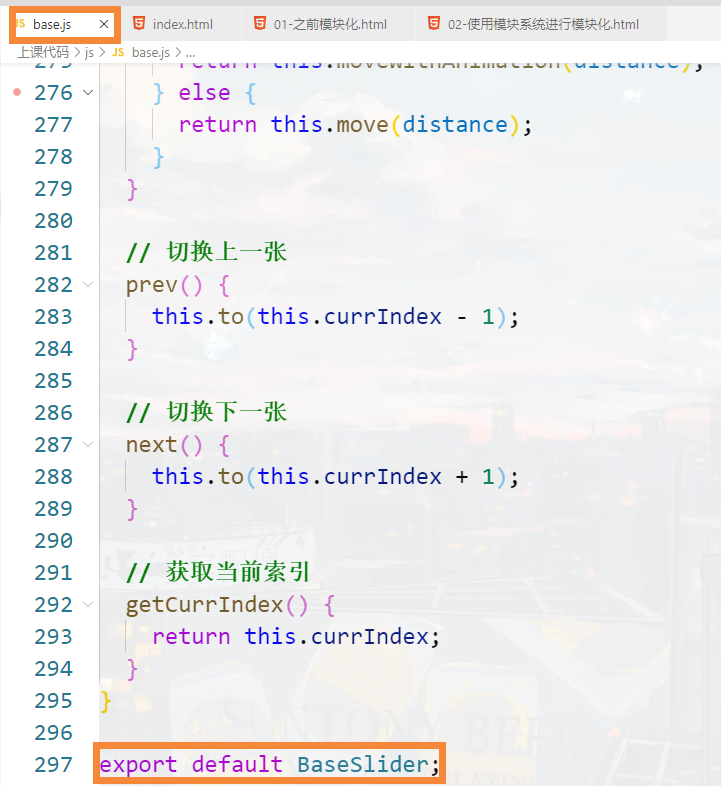
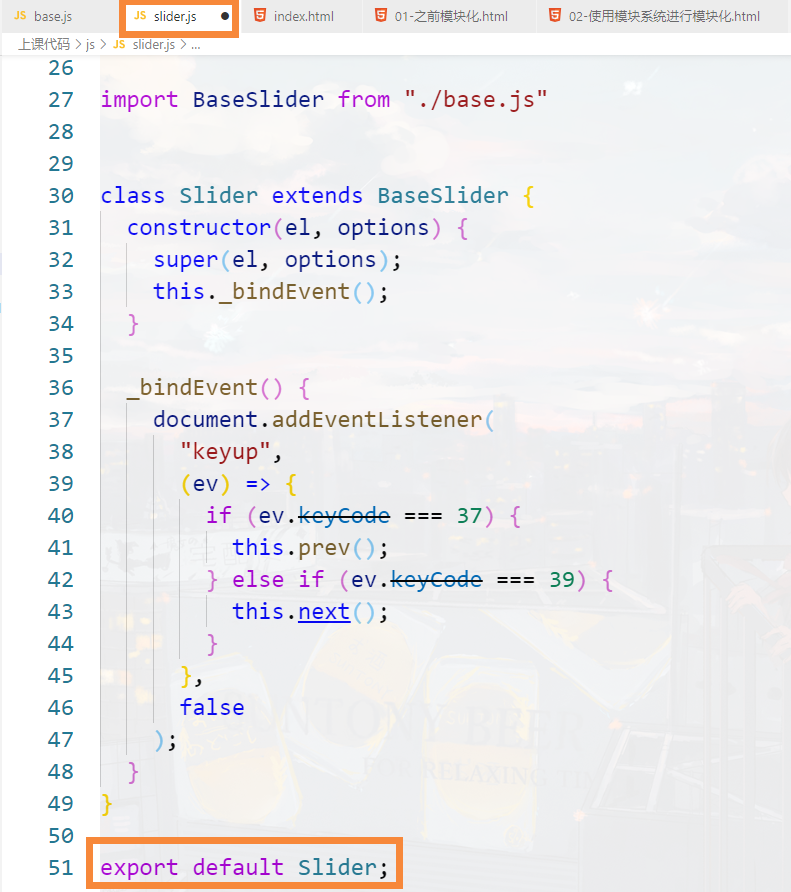
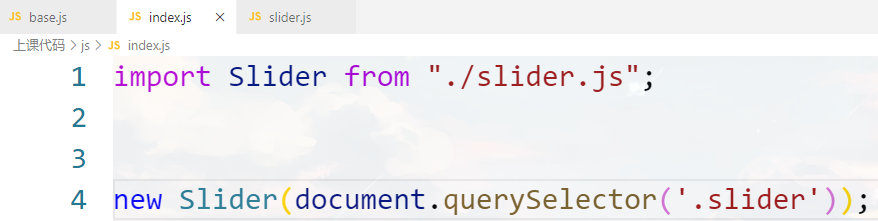
//base.js

// 默认参数
const DEFAULTS = {
  // 初始索引
  initialIndex: 0,
  // 切换时是否有动画
  animation: true,
  // 切换速度,单位 ms
  speed: 300
};
// base
const ELEMENT_NODE = 1;
const SLIDER_ANIMATION_CLASSNAME = 'slider-animation';

// 父类
class BaseSlider {
  constructor(el, options) {
    if (el.nodeType !== ELEMENT_NODE)
      throw new Error('实例化的时候,请传入 DOM 元素!');

    // 实际参数
    this.options = {
      ...DEFAULTS,
      ...options
    };

    const slider = el;
    const sliderContent = slider.querySelector('.slider-content');
    const sliderItems = sliderContent.querySelectorAll('.slider-item');

    // 添加到 this 上,为了在方法中使用
    this.slider = slider;
    this.sliderContent = sliderContent;
    this.sliderItems = sliderItems;

    this.minIndex = 0;
    this.maxIndex = sliderItems.length - 1;
    this.currIndex = this.getCorrectedIndex(this.options.initialIndex);

    // 每个 slider-item 的宽度(每次移动的距离)
    this.itemWidth = sliderItems[0].offsetWidth;

    this.init();
  }

  // 获取修正后的索引值
  // 随心所欲,不逾矩
  getCorrectedIndex(index) {
    if (index < this.minIndex) return this.maxIndex;
    if (index > this.maxIndex) return this.minIndex;
    return index;
  }

  // 初始化
  init() {
    // 为每个 slider-item 设置宽度
    this.setItemsWidth();

    // 为 slider-content 设置宽度
    this.setContentWidth();

    // 切换到初始索引 initialIndex
    this.move(this.getDistance());

    // 开启动画
    if (this.options.animation) {
      this.openAnimation();
    }
  }

  // 为每个 slider-item 设置宽度
  setItemsWidth() {
    for (const item of this.sliderItems) {
      item.style.width = `${this.itemWidth}px`;
    }
  }

  // 为 slider-content 设置宽度
  setContentWidth() {
    this.sliderContent.style.width = `${
      this.itemWidth * this.sliderItems.length
    }px`;
  }

  // 不带动画的移动
  move(distance) {
    this.sliderContent.style.transform = `translate3d(${distance}px, 0px, 0px)`;
  }

  // 带动画的移动
  moveWithAnimation(distance) {
    this.setAnimationSpeed(this.options.speed);
    this.move(distance);
  }

  // 设置切换动画速度
  setAnimationSpeed(speed) {
    this.sliderContent.style.transitionDuration = `${speed}ms`;
  }

  // 获取要移动的距离
  getDistance(index = this.currIndex) {
    return -this.itemWidth * index;
  }

  // 开启动画
  openAnimation() {
    this.sliderContent.classList.add(SLIDER_ANIMATION_CLASSNAME);
  }

  // 关闭动画
  closeAnimation() {
    this.setAnimationSpeed(0);
  }

  // 切换到 index 索引对应的幻灯片
  to(index) {
    index = this.getCorrectedIndex(index);
    if (this.currIndex === index) return;

    this.currIndex = index;
    const distance = this.getDistance();

    if (this.options.animation) {
      return this.moveWithAnimation(distance);
    } else {
      return this.move(distance);
    }
  }

  // 切换上一张
  prev() {
    this.to(this.currIndex - 1);
  }

  // 切换下一张
  next() {
    this.to(this.currIndex + 1);
  }

  // 获取当前索引
  getCurrIndex() {
    return this.currIndex;
  }
}

export default BaseSlider;


//slider.js

import BaseSlider from './base.js';

class Slider extends BaseSlider {
  constructor(el, options) {
    super(el, options);
    this._bindEvent();
  }

  _bindEvent() {
    document.addEventListener(
      'keyup',
      ev => {
        if (ev.keyCode === 37) {
          this.prev();
        } else if (ev.keyCode === 39) {
          this.next();
        }
      },
      false
    );
  }
}

export default Slider;


//index.js
import Slider from './slider.js';
new Slider(document.querySelector('.slider'));
1
2
3
4
5
6
7
8
9
10
11
12
13
14
15
16
17
18
19
20
21
22
23
24
25
26
27
28
29
30
31
32
33
34
35
36
37
38
39
40
41
42
43
44
45
46
47
48
49
50
51
52
53
54
55
56
57
58
59
60
61
62
63
64
65
66
67
68
69
70
71
72
73
74
75
76
77
78
79
80
81
82
83
84
85
86
87
88
89
90
91
92
93
94
95
96
97
98
99
100
101
102
103
104
105
106
107
108
109
110
111
112
113
114
115
116
117
118
119
120
121
122
123
124
125
126
127
128
129
130
131
132
133
134
135
136
137
138
139
140
141
142
143
144
145
146
147
148
149
150
151
152
153
154
155
156
157
158
159
160
161
162
163
164
165
166
167
168
169
170
171
172
173
174
175
176
177
178
179
180
181
182
183
184
185
2
3
4
5
6
7
8
9
10
11
12
13
14
15
16
17
18
19
20
21
22
23
24
25
26
27
28
29
30
31
32
33
34
35
36
37
38
39
40
41
42
43
44
45
46
47
48
49
50
51
52
53
54
55
56
57
58
59
60
61
62
63
64
65
66
67
68
69
70
71
72
73
74
75
76
77
78
79
80
81
82
83
84
85
86
87
88
89
90
91
92
93
94
95
96
97
98
99
100
101
102
103
104
105
106
107
108
109
110
111
112
113
114
115
116
117
118
119
120
121
122
123
124
125
126
127
128
129
130
131
132
133
134
135
136
137
138
139
140
141
142
143
144
145
146
147
148
149
150
151
152
153
154
155
156
157
158
159
160
161
162
163
164
165
166
167
168
169
170
171
172
173
174
175
176
177
178
179
180
181
182
183
184
185
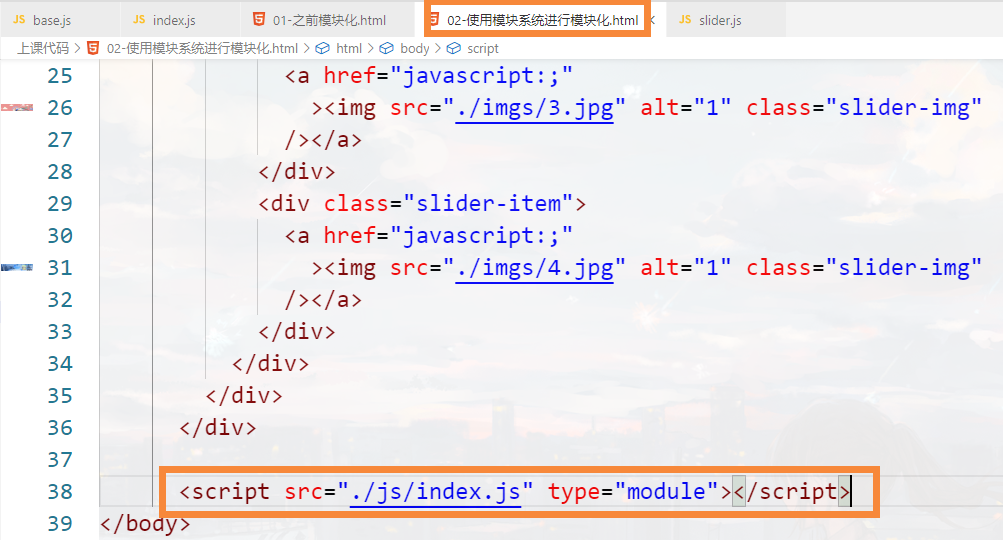
# 2.使用 script 标签加载模块
一个文件就是一个模块
<script src="./index.js" type="module"></script>

<script>
    console.log(Slider); //×
</script>


<!--只要你会用到 import 或 export,在使用 script 标签加载的时候,就要加上 type="module"-->
1
2
3
4
5
6
7
8
2
3
4
5
6
7
8
# 3.分析 Module 解决的问题
① 模块化的问题
② 消除全局变量
③ 管理加载顺序
# 2.导入和导出
# Module的两种导出和导入
- export default 导出和对应的import导入
- export 导出和对应的import导入
# export default 和对应的import
- 认识导出和导入
- 基本用法
# 1.认识导出和导入
导出的东西可以被导入(import),并访问到
一个模块没有导出,也可以将其导入
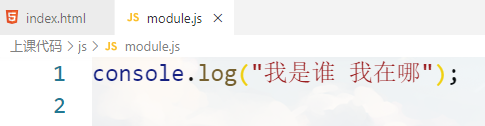
被导入的代码都会执行一遍,也仅会执行一遍
//module.js


<script type="module">
    import "./module.js";
	import './module.js';
	import './module.js';
</script>
1
2
3
4
5
6
7
8
9
10
2
3
4
5
6
7
8
9
10
# 2.基本用法
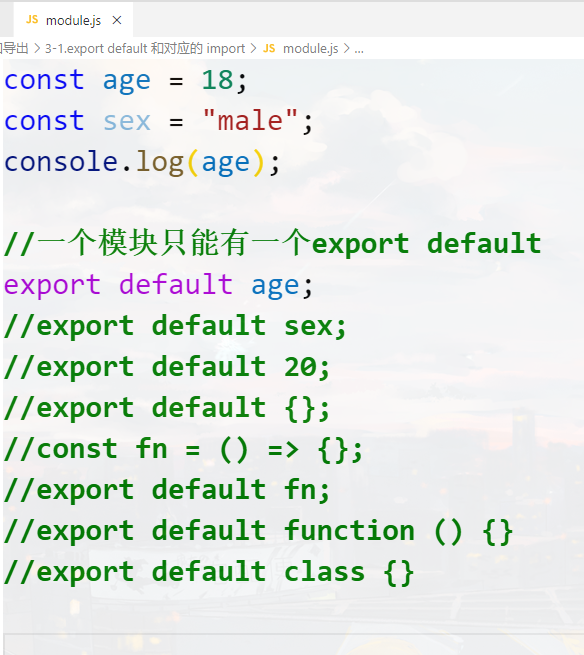
//可以随便起名
import aaa from './module.js';
console.log(aaa);
1
2
3
2
3
# export 和对应的import
- 基本用法
- 多个导出
- 导出导入时起别名
- 整体导入
- 同时导入
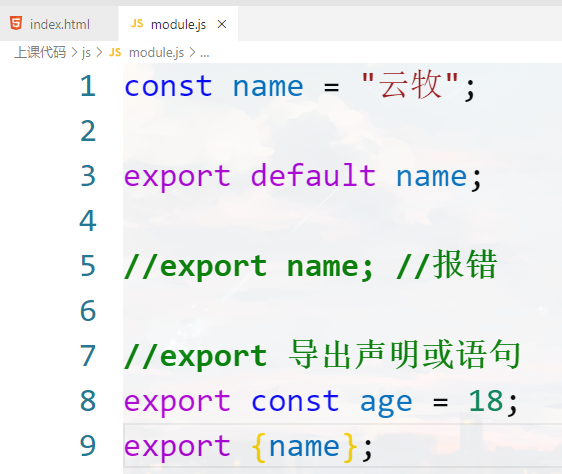
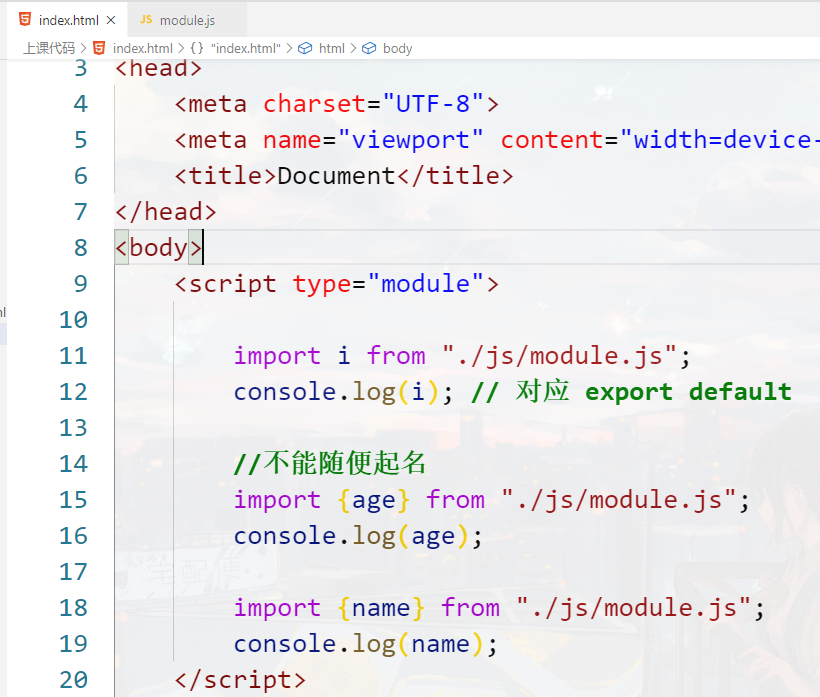
# 1.基本用法
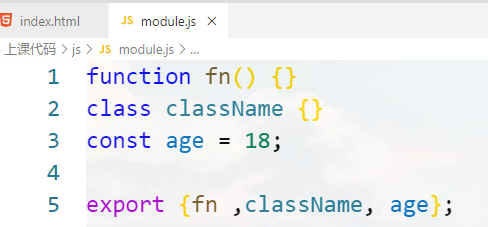
# 2.多个导出
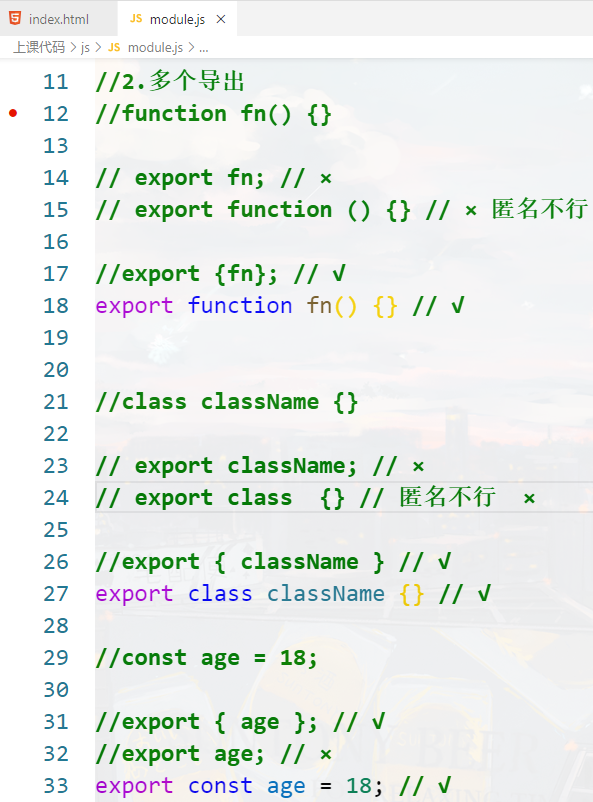
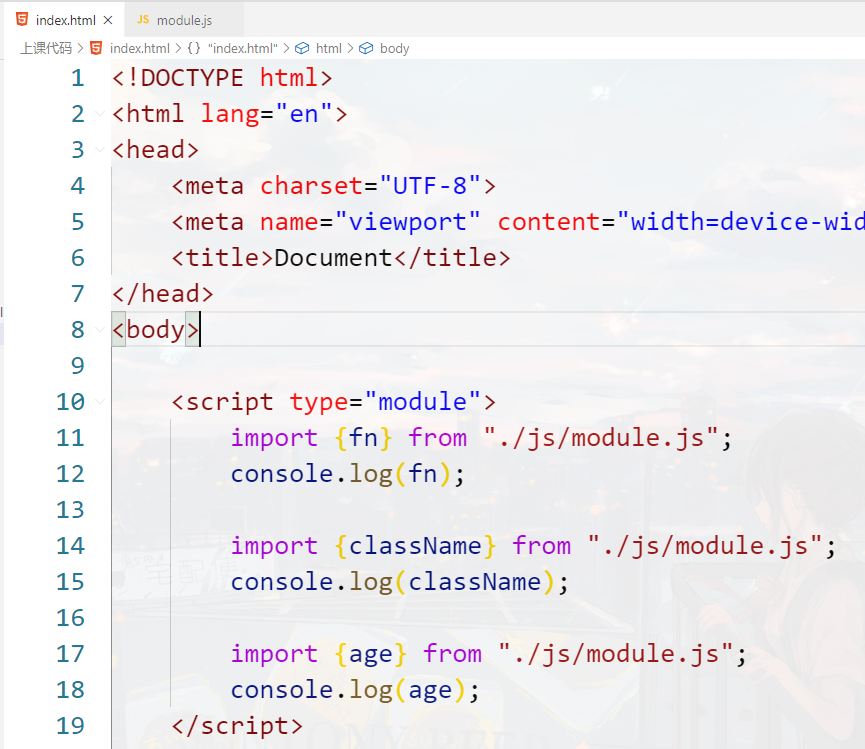
多个导出
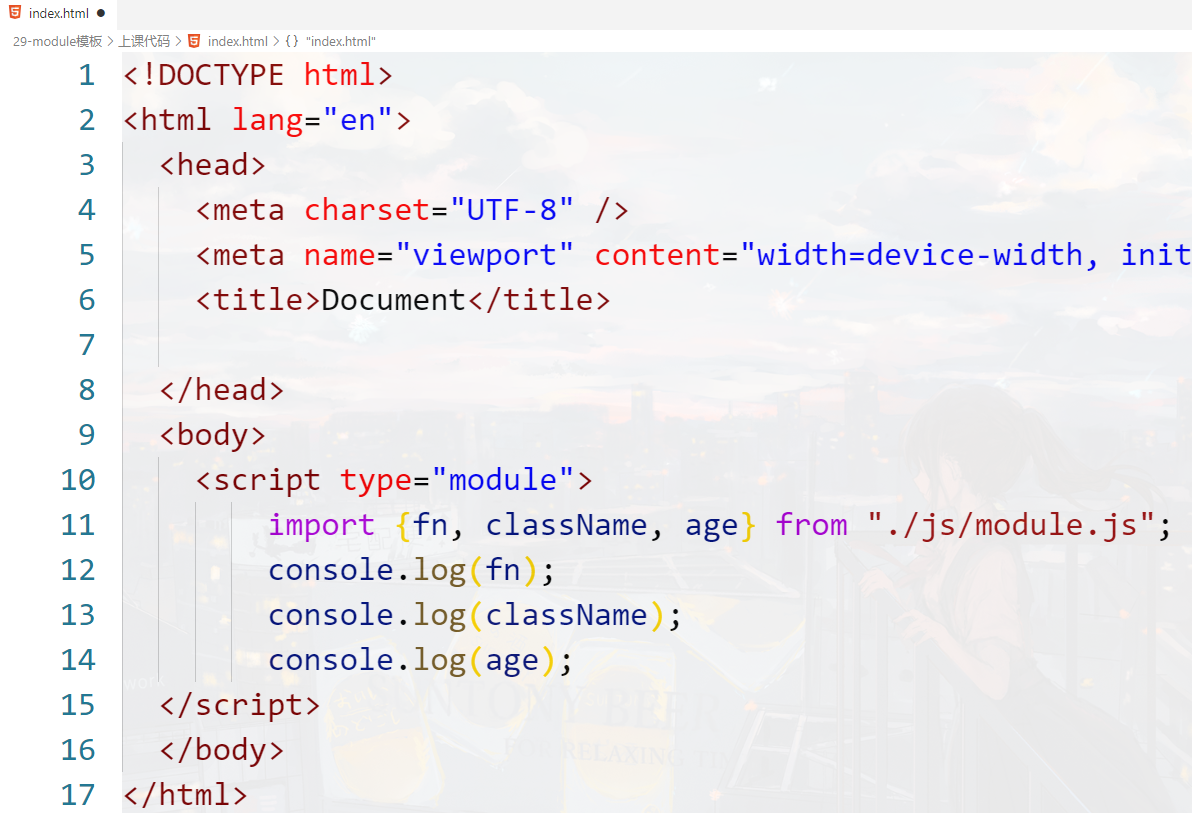
多个导入
//2.多个导出
function fn() {}

// export fn; // ×
// export function () {} // × 匿名不行

//export {fn}; // √
export function fn() {} // √


//class className {}

// export className; // ×
// export class  {} // 匿名不行  ×

//export { className } // √
export class className {} // √

//const age = 18;

//export { age }; // √
//export age; // ×
export const age = 18; // √


export {fn ,className, age};


<script type="module">
    //import {fn} from "./js/module.js";
    //console.log(fn);

    //import {className} from "./js/module.js";
    //console.log(className);

    //import {age} from "./js/module.js";
    //console.log(age);

    import {fn, className, age} from "./js/module.js";
	console.log(fn);
	console.log(className);
	console.log(age);
</script>
1
2
3
4
5
6
7
8
9
10
11
12
13
14
15
16
17
18
19
20
21
22
23
24
25
26
27
28
29
30
31
32
33
34
35
36
37
38
39
40
41
42
43
44
45
46
2
3
4
5
6
7
8
9
10
11
12
13
14
15
16
17
18
19
20
21
22
23
24
25
26
27
28
29
30
31
32
33
34
35
36
37
38
39
40
41
42
43
44
45
46
# 3.导出导入时起别名
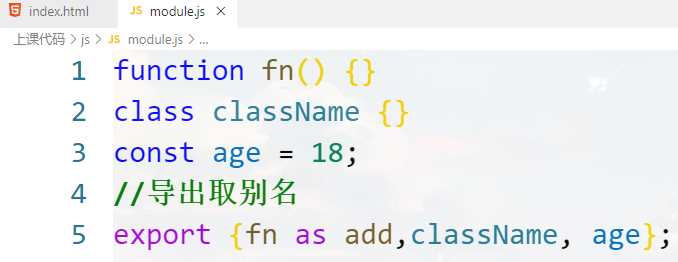
function fn() {}
class className {}
const age = 18;
//导出取别名
export {fn as add,className, age};
1
2
3
4
5
2
3
4
5
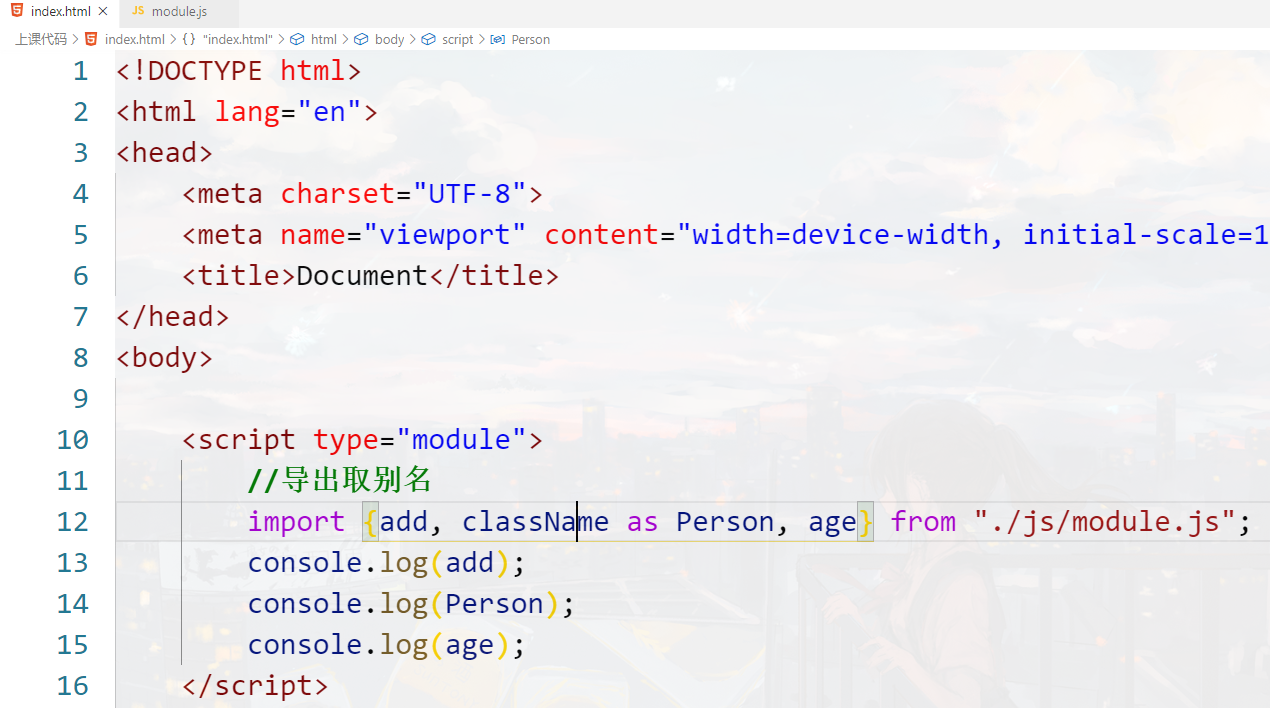
<script type="module">
    //导出取别名
    import {add, className as Person, age} from "./js/module.js";
	console.log(add);
	console.log(Person);
	console.log(age);
</script>
1
2
3
4
5
6
7
2
3
4
5
6
7
# 4.整体导入
会导入所有输出,包括通过 export default 导出的
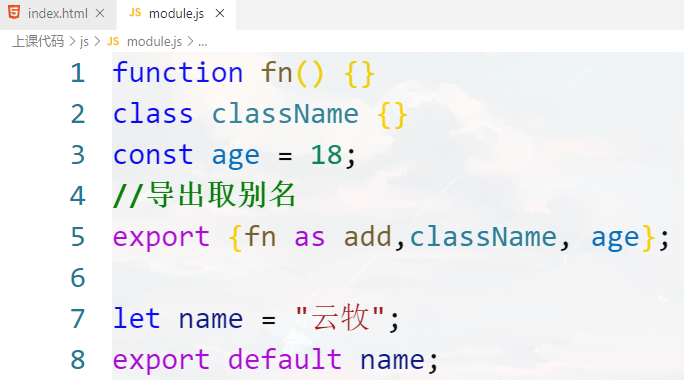
function fn() {}
class className {}
const age = 18;
//导出取别名
export {fn as add,className, age};

let name = "云牧";
export default name;
1
2
3
4
5
6
7
8
2
3
4
5
6
7
8
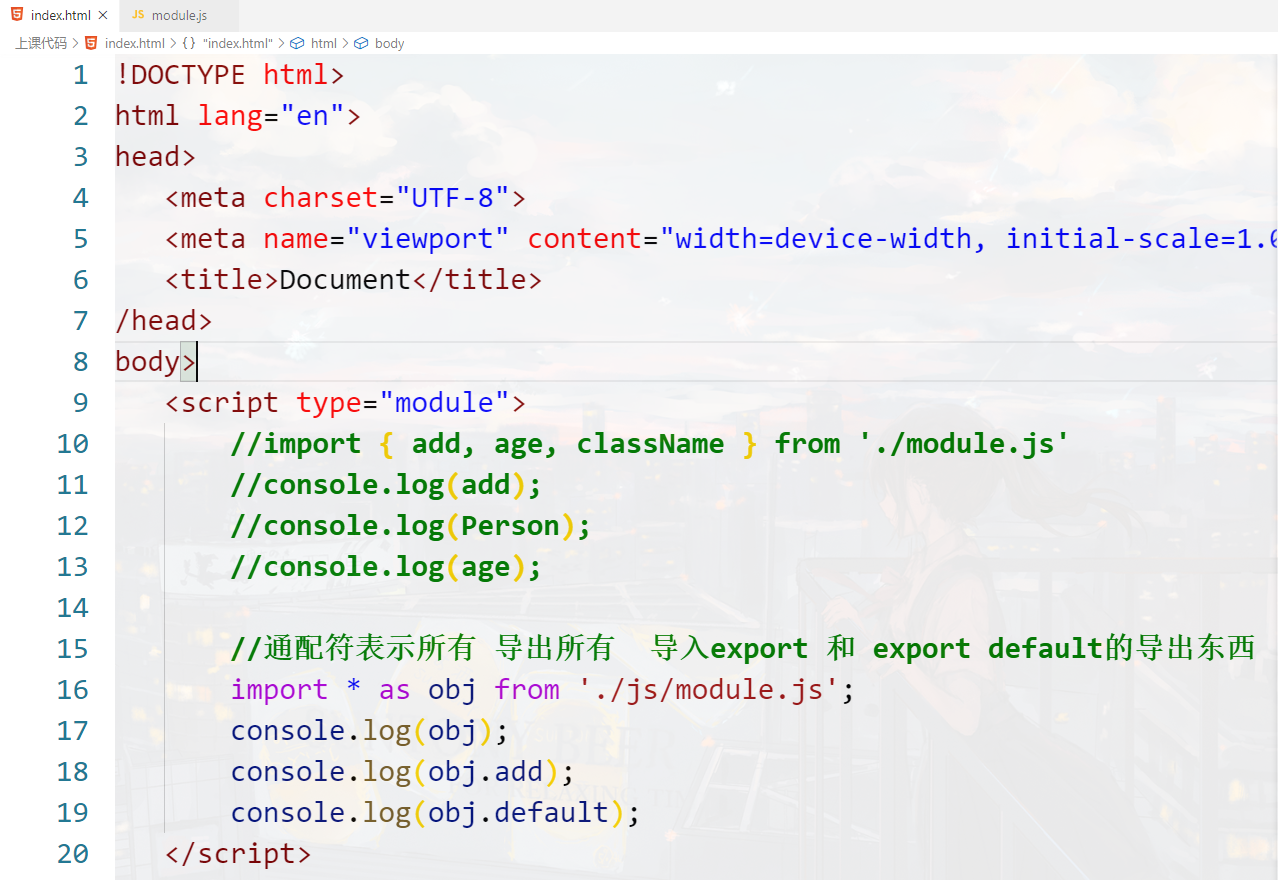
<script type="module">
    //import { add, age, className } from './module.js'
    //import name from './module.js'
    //console.log(add);
    //console.log(Person);
    //console.log(age);
    //console.log(name)

    //通配符表示所有 导出所有  导入export 和 export default的导出东西
    import * as obj from './js/module.js';
    console.log(obj);
    console.log(obj.add);
    console.log(obj.default);
</script>
1
2
3
4
5
6
7
8
9
10
11
12
13
14
2
3
4
5
6
7
8
9
10
11
12
13
14
# 5.同时导入
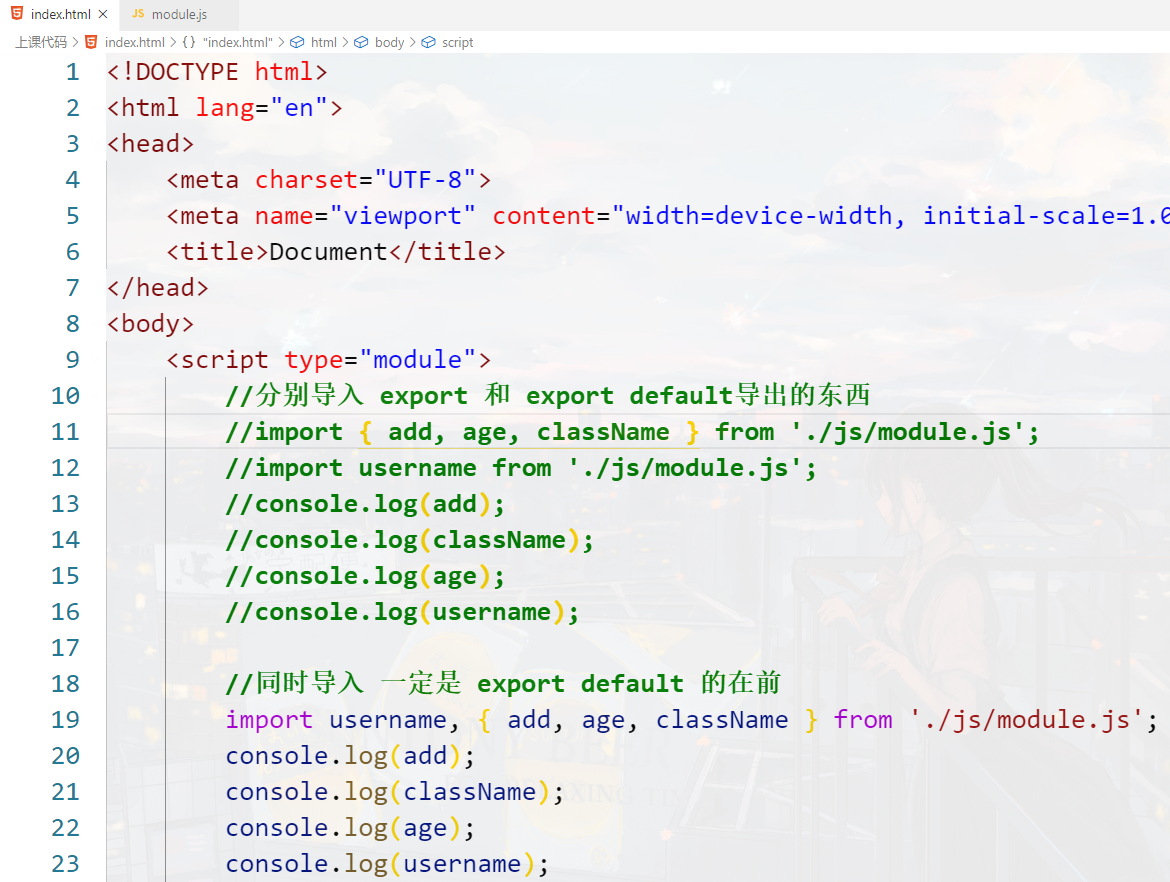
//同时导入 一定是 export default 的在前
import username, { add, age, className } from './js/module.js';
console.log(add);
console.log(className);
console.log(age);
console.log(username);
1
2
3
4
5
6
2
3
4
5
6
# 3.Module的注意事项
- 模块顶层的this指向
- import关键字和import()函数
- 导入导出的复合写法
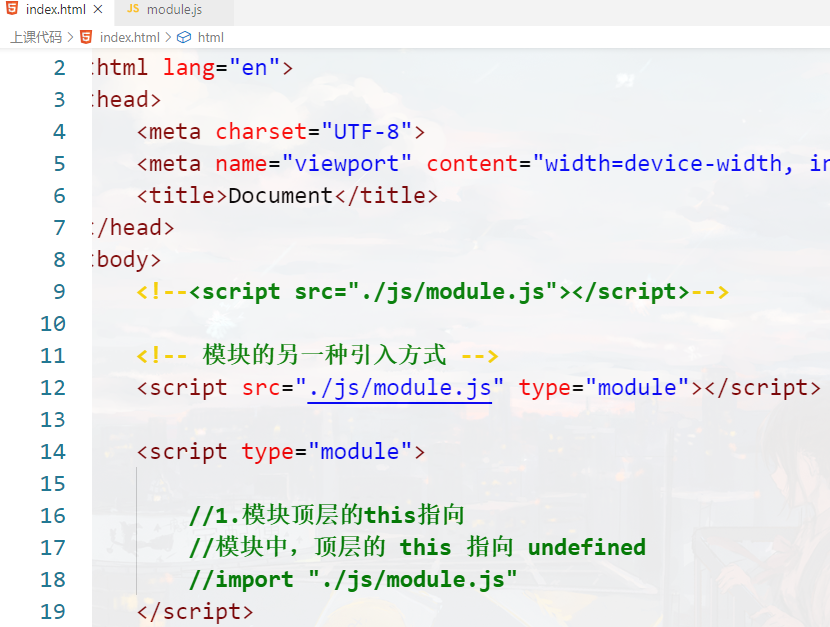
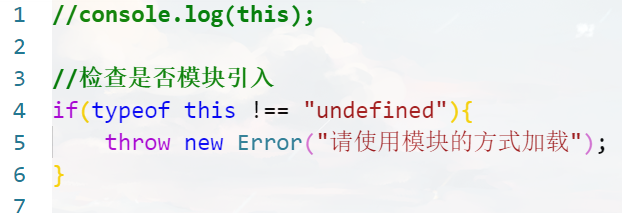
# 1.模块顶层的this指向
# 2.import 和 import()
<script type="module">
    //2.import 和 import()
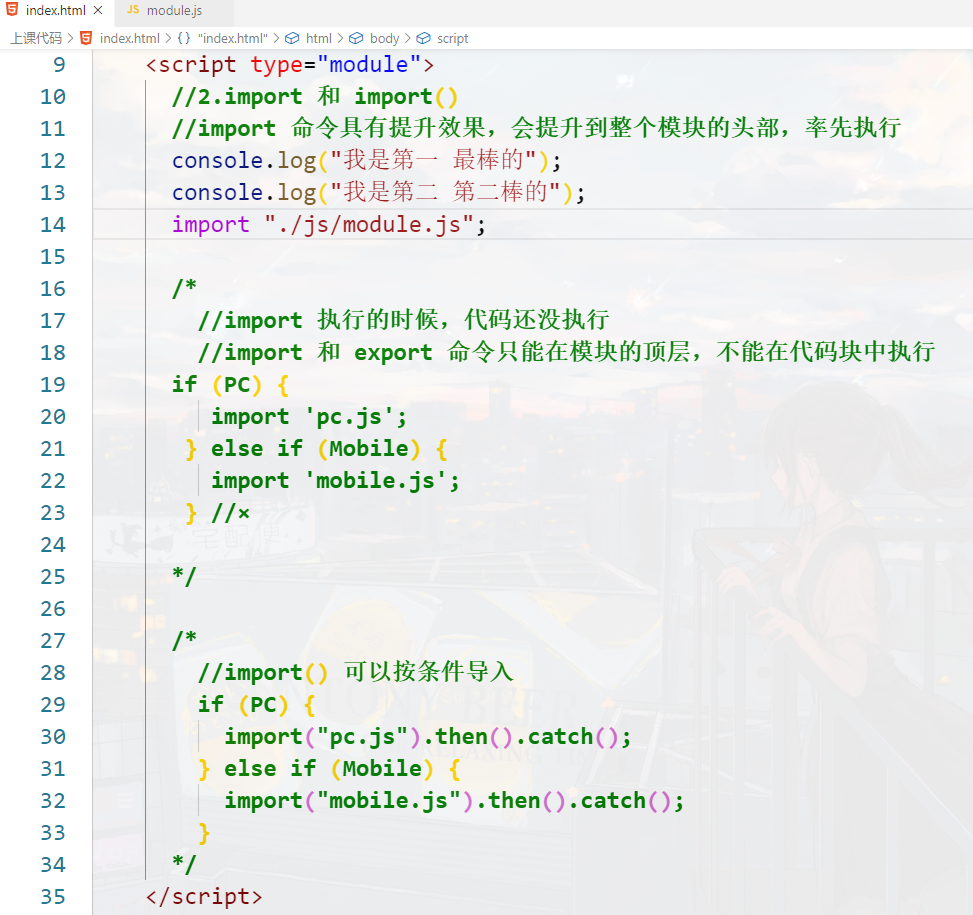
    //import 命令具有提升效果,会提升到整个模块的头部,率先执行
    console.log("我是第一 最棒的");
    console.log("我是第二 第二棒的");
    import "./js/module.js";

    /*
	    //import 执行的时候,代码还没执行
        //import 和 export 命令只能在模块的顶层,不能在代码块中执行
      if (PC) {
         import 'pc.js';
       } else if (Mobile) {
         import 'mobile.js';
       } //×

	  */

    /*
	    //import() 可以按条件导入  成功返回promise
        if (PC) {
          import("pc.js").then().catch();
        } else if (Mobile) {
          import("mobile.js").then().catch();
        }
	  */
</script>
1
2
3
4
5
6
7
8
9
10
11
12
13
14
15
16
17
18
19
20
21
22
23
24
25
26
27
2
3
4
5
6
7
8
9
10
11
12
13
14
15
16
17
18
19
20
21
22
23
24
25
26
27
# 3.导入导出的复合写法
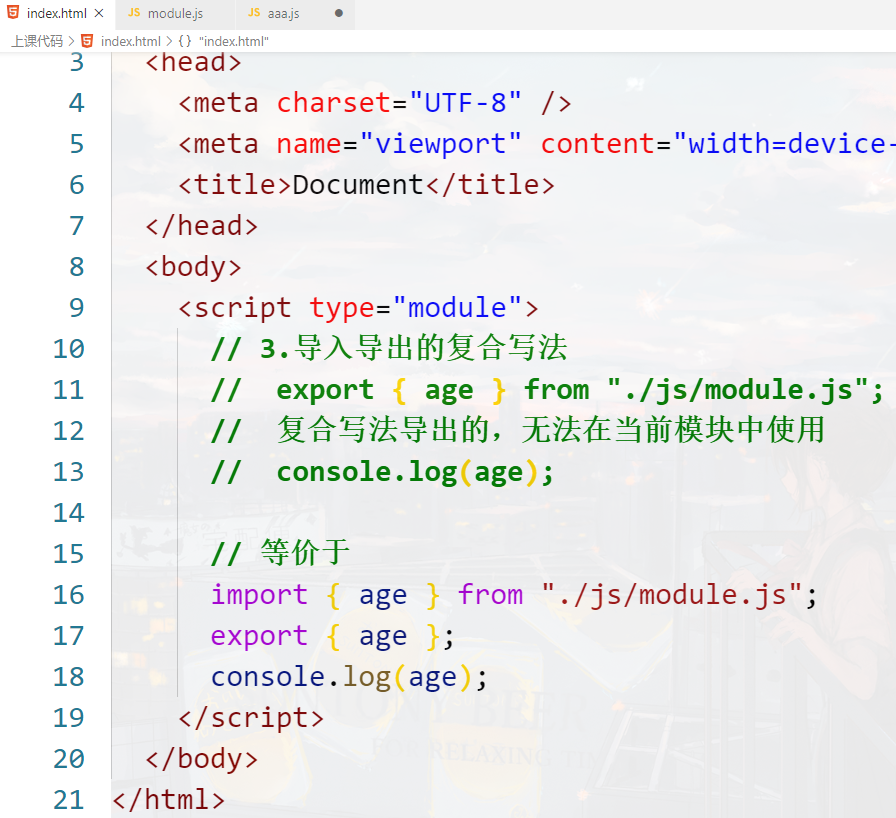
// 3.导入导出的复合写法
//  export { age } from "./js/module.js";
//  复合写法导出的,无法在当前模块中使用
//  console.log(age);

// 等价于
import { age } from "./js/module.js";
export { age };
console.log(age);
1
2
3
4
5
6
7
8
9
2
3
4
5
6
7
8
9

# 4.Module的应用
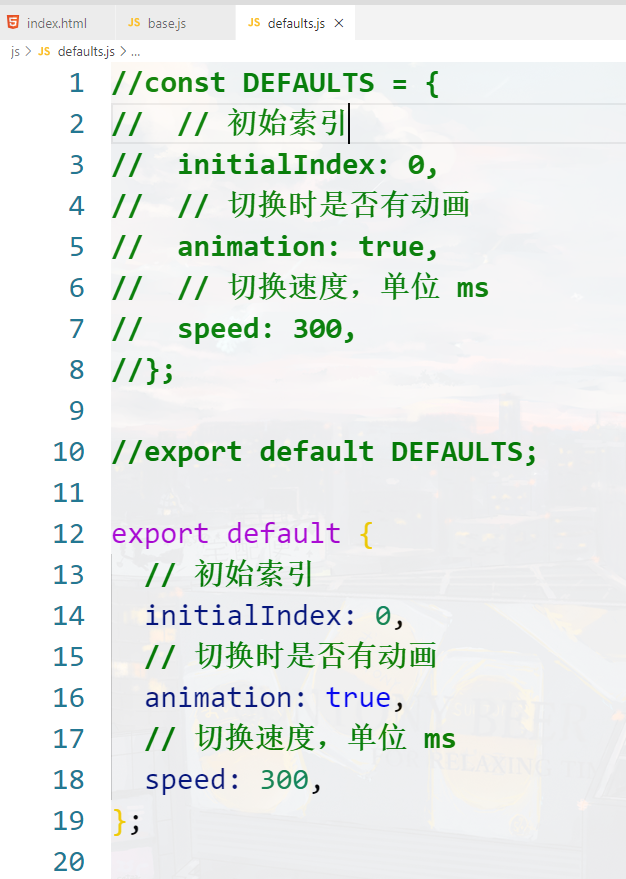
# default默认值模块

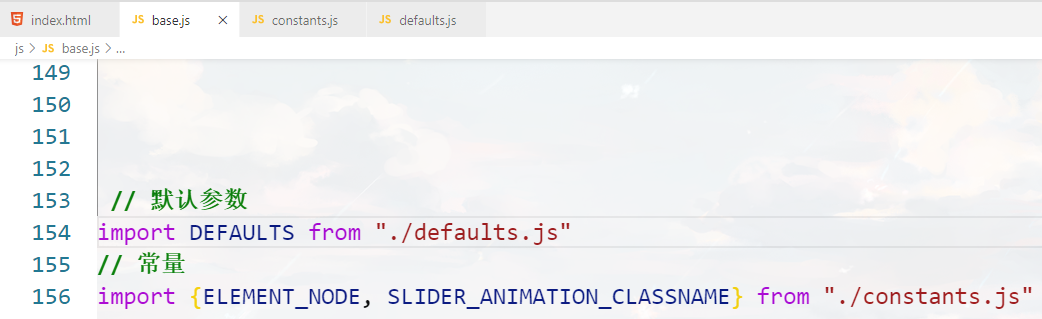
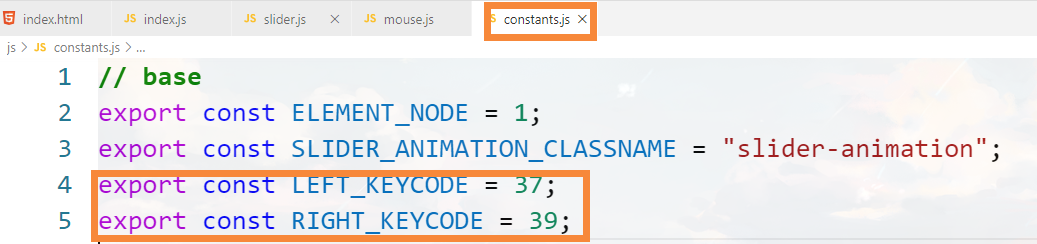
# 常量模块

# 键盘控制模块
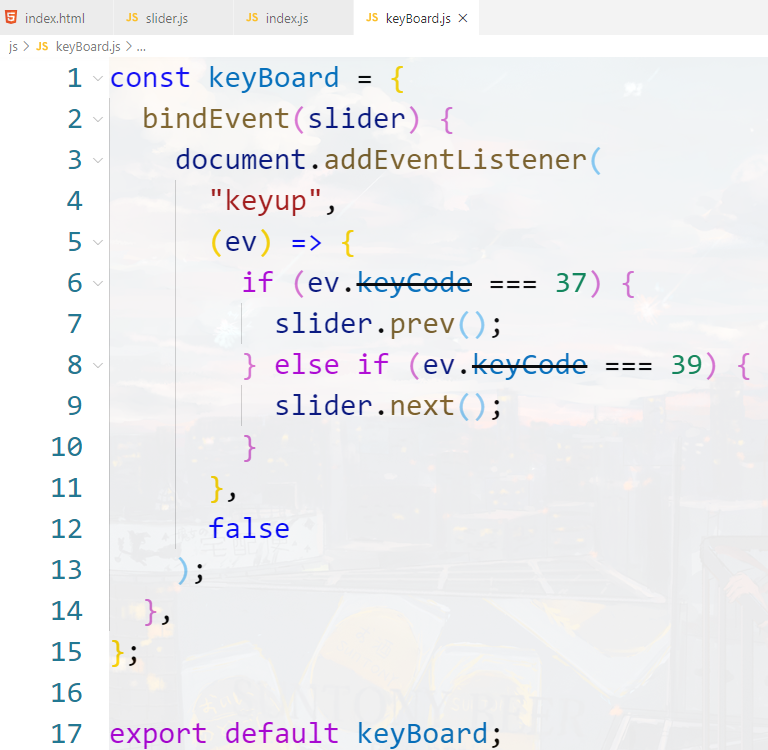
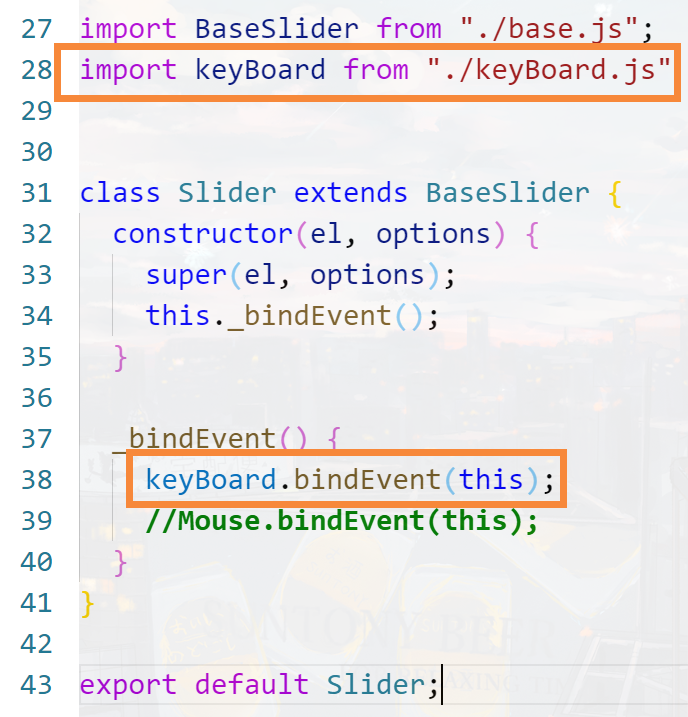
# 抽离键码到常量模块
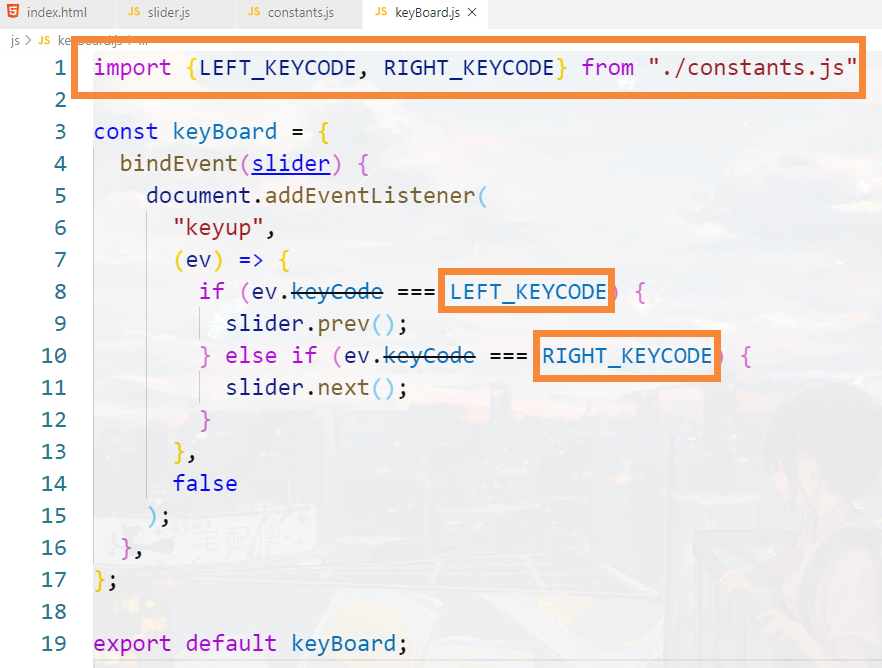
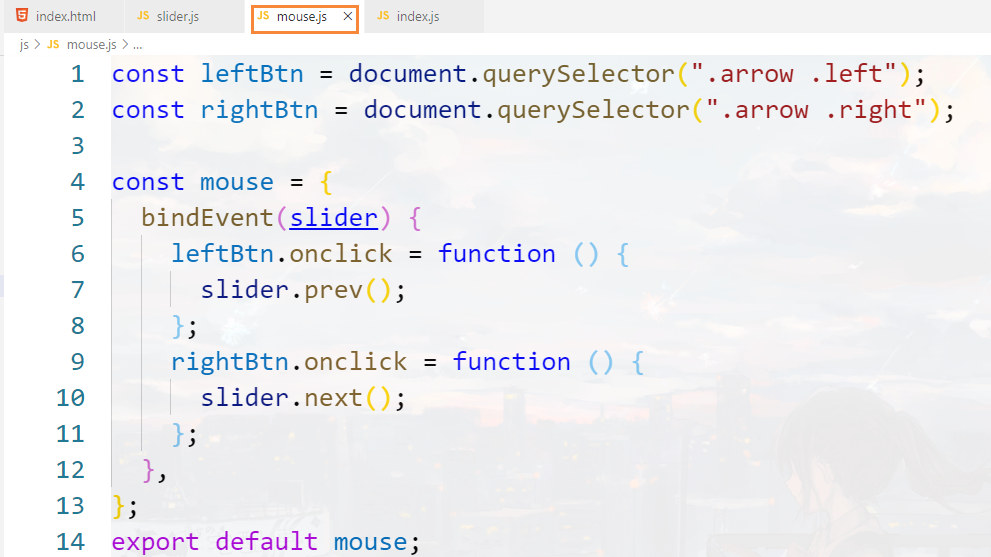
# 鼠标控制模块
# 课程总结
# Module的加载
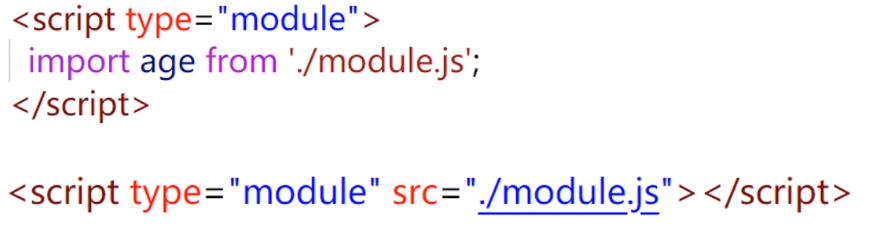
使用script标签加载模块时需要添加type="module"
# 导出和导入
一个模块的导出可以被其它模块导入,并访问
没有导出,也可以将其导入
被导入的代码都会执行一遍,也仅会执行—遍
# export default 和对应的import
export default用于导出一个默认值,一个模块只能有一个
基本用法

# export 和对应的import
export 用于导出声明或语句

export 可以导出多个
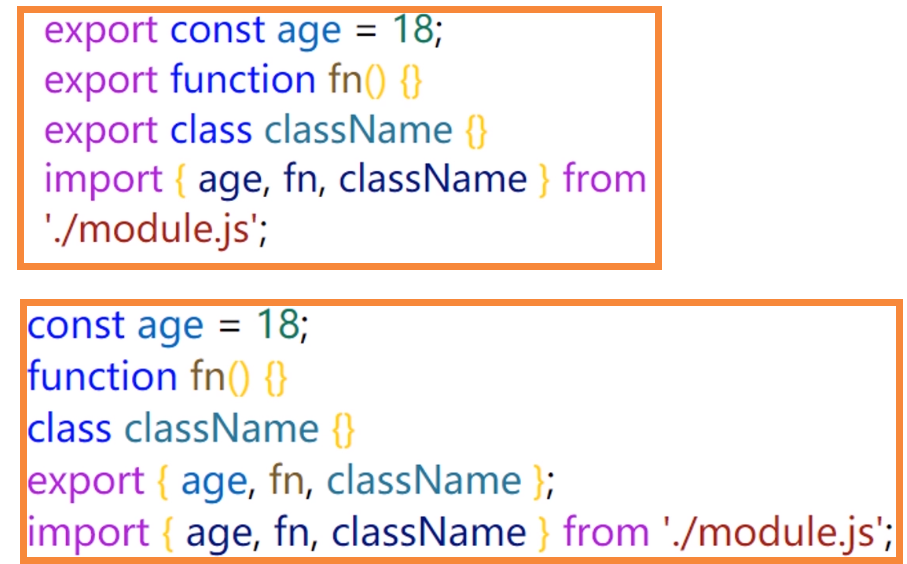
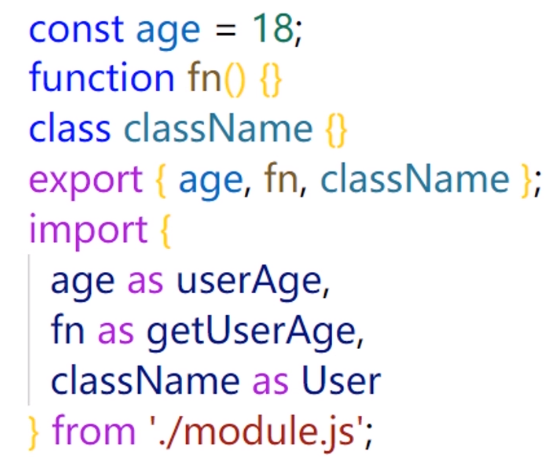
export导出导入的时候可以起别名
可以整体导入所有导出,包括export和export default的导出

可以同时导入export default和export导出的内容

# Module的注意事项
模块中,顶层的 this指向undefined
import具有提升效果,会提升到整个模块的头部,率先执行
import 执行的时候,代码还没执行
import和export 只能在模块的顶层,不能在代码块中执行
import()可以按条件导入
复合写法导出的,无法在当前模块中使用